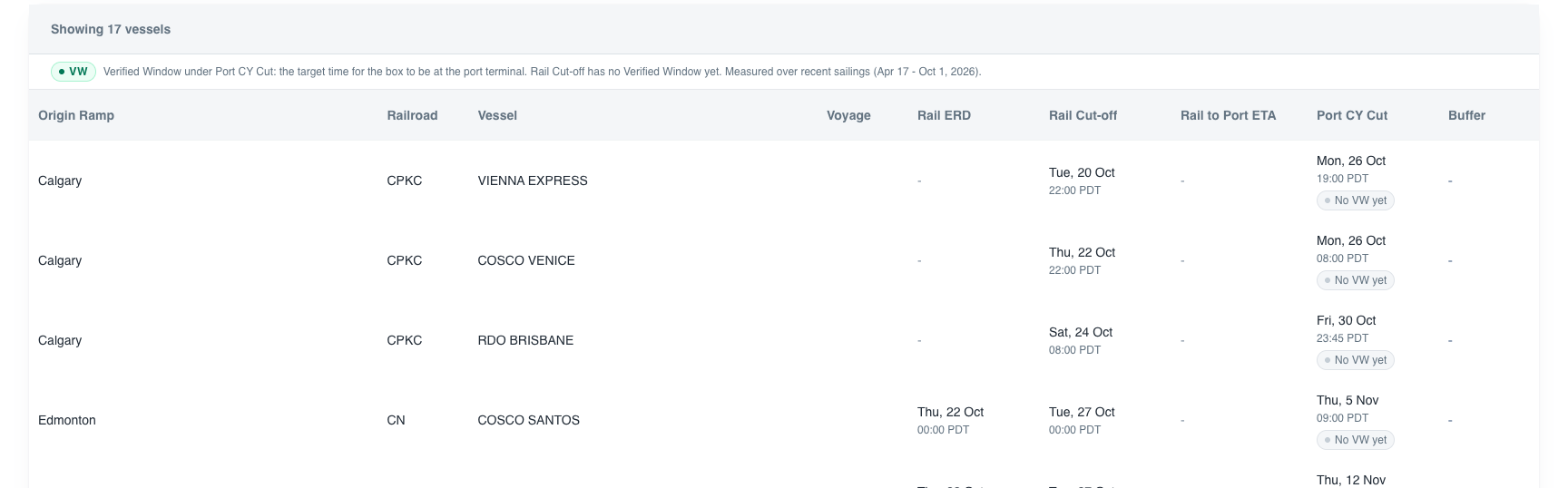
What Verified Windows tells you
Published receiving dates move, sometimes right up to the cut. Verified Windows gives you a date to act on: under each published ERD and CY Cutoff, a green VW badge shows the dropoff date that held on recent sailings like this one. You see the published date and the date to plan against, side by side.

Reading the badges
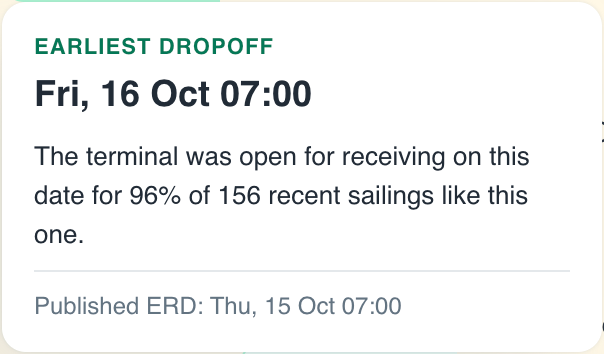
- VW under the ERD - Earliest dropoff. The terminal was open for receiving on this date on recent sailings like this one.
- VW under the CY Cutoff - Target dropoff. The cutoff was still open at this time on recent sailings like this one.
- Grey "No VW yet" - there is no Verified Window for this date yet. Tap it to see why.
The line above the table says which period the windows are measured over.
Find them fast
- Verified - shows only the vessels that have a Verified Window.
- Newly Verified - shows the windows that appeared in the last 36 hours, marked "Newly verified" in the cell.
Tap a badge for the proof
Tap any green badge to see its label, the date in large type, one line on what held - how often, across how many recent sailings like this one - and the published date for comparison.
When there is no Verified Window yet
Tap a grey badge and it tells you which of these applies:
- The terminal has not published this sailing's ERD or cutoff yet. The badge appears once the date is published.
- The date is still too far out. The Verified Window appears a set number of days before the published date; the badge tells you how many.
- The terminal has not been measured yet, or its schedule data is being re-checked. Plan against the published dates.
If a vessel says the dates cross, confirm the receiving window with the terminal before you commit.
How to act on it
- Plan the dropoff between the Earliest dropoff and the Target dropoff - the dates that held on recent sailings, not just the outer edges of the published window.
- Commit trucks and appointments against the green dates.
- Where there is no VW yet, use buffer - plan against the published dates, add slack, and watch the next report for changes.
Where it appears
- Vessel Schedule Report by Terminal - in the ERD and CY Cutoff cells, in the app and in your report email.
- Rail Edition - under the Port CY Cut. The rail cut-off has no Verified Window yet.